How To Back Up Your Photography: The Basics

More than a few aspiring photographers and hobbyist shooters that caught my earlier (very hardcore) post outlining back-up strategies for professional photography, videography, or design studios, have asked me to advise on a more basic solution for backing up their images. Since there are numerous ways to accomplish the goal of backing up your work, I think it’s best if I focus the discussion to the THEORY of backing up, and let each individual adapt the theory to a PRACTICE that works for you. That said, you’ll be happy to know that the theory is quite simple. And if you want more info, see the earlier post. Here goes:

The theory behind backing up your work is five-fold.

1. Make your work ORGANIZED. You should be able to easily navigate, save, and locate files an organized folder structure. For starters, I recommend what’s commonly called reverse-date naming, combined with some convenient, recognizable text. For example, if I shot images of our family reunion today, December 28, 2006, I would download the images in a folder I’d name 20061228_FamilyReunion. The crucial part of the convention is the number at the front of the title where the year precedes the month, which precedes the date. Naming in this manner will ensure that each folder you shoot will line up in the default setting of most operating systems with the most recent folder atop the list, and others following according to date shot. From this convention, the detailed content of each folder is up to you. If you don’t shoot a lot, then perhaps just put all the day’s files in that folder without additional structure. If you shoot more than one or two memory cards per day, consider further segmenting the reverse-date folder with sub-folders titled Card 1, and Card 2, or similar. AVOID folder names like NEW PICTURES, or YESTERDAY’S PARTY. Lastly, it’s beyond the scope of this post, however if you want to someday find specific images by text searching some day in the future, I recommend using a photo-specific software like Abobe Bridge, Apple Aperature, Photo Mechanic, or iView Media and renaming each file using built in automated functions according to these reverse-date principles.

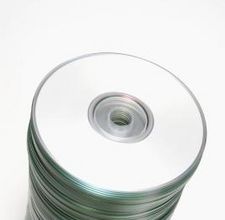
2. Choose the right STORAGE MEDIUM. Use portable, external hard drives; do not use DVDs or CDs. Lacie makes nice, affordable drives in a variety of sizes. Purchase more storage than you think you’ll need, and note that relatively speaking, when buying storage, you’re purchasing according to economies of scale. Thus, 100GB Hard drive costs $100, or $1.00/GB; whereas 250GB hard drive costs $150, or $0.60/GB. (Note: I recommend that once you identify the ideal-sized hard drive, you purchase TWO of them. Why? See #4 below.)

3. Keep a CLEAN COPY OF THE ORIGINAL DATA. Before uploading your images into some proprietary viewing software like Apple iPhoto, or whatever you might chose, I recommend copying the original data from the camera or memory card directly onto an external hard drive and name the folder according to the convention above. To do this you may want to disable any ‘auto-image-upload’ functions enabled on the proprietary software or operating system. Keep your computer’s hard drive out of the equation. Upload or copy images onto your computer’s hard drive and into your preferred viewing or editing software only AFTER you have a clean copy saved on the external drive.

4. Make it REDUNDANT. In order for your backup protocol to be effective, it’s absolutely crucial that your files be in at least two different locations as soon after creating the images as possible. I suggest using a second external hard drive and making a copy ONLY OF THE CLEAN ORIGINAL DATA either a)every time you download your camera/media card, or b)on some regular interval that you can live with… try putting reminders in your electronic calendar and stick to them! Creating two copies of the original data (and keeping any viewing/editing software out of the equation) is the most important step in backing up data. Hard drives DO FAIL. Don’t subject yourself to having only one copy of your precious photos. It’s not worth it.

5. Keep ‘em SEPARATE. Remember why you keep originals of your will in the bank’s safe-deposit box and copies at home? This is a similar concept. Now that you’ve got two separate hard drives with the exact same data on them, do your best to keep them separated. Try keeping one at home and one at the office. Or what at your house and one at your moms. This is the most far-reaching component of the backup protocol and protects you from the more extreme events like theft or fire. Statistically, it’s unlikely that this will happen, however it’s the best way to truly protect yourself from catastrophic loss.

Lastly, be diligent! A backup strategy is only effective if you can maintain it. Even if you’re not an established pro photographer, keeping extra copies of your files according to a well organized, established protocol will help keep your precious files safe for the long haul.
Related posts:

    Important: Storage and Backup Solutions For Your Photography
    Chase Jarvis TECH: Complete Workflow and Backup for Photo + Video
    My Photography Mistakes #2496

---
Get my every move: Follow Chase Jarvis on Twitter
Get exclusive content: Become a Fan on Facebook

    25 Responses to “How To Back Up Your Photography: The Basics”

    1. Carson Blume Thursday - 28th of December, 2006 at 3:31 pm #

      I love this, so simple. The thing that gets me is that so few photographers do any back up. It is so much easier than it used to be to backup, you used to have to dupclaite slides and they would lose their quility. Now all you have to do is drag and drop. So I say JUST DO IT!

      As far as the organization goes, I don’t know if it is just a foreign concept to most photographers or if they just are to lazy ( I to am a photographer so I am not offending anyone) I have seen people that have 4 copies of the same shoot in different stages of the post production , in no order at all. This waist time and money. Also when you download a at least rename the folder and the files so you can search for them, spotlight is amazing but it has to be there.

      Your last section is the most important, i have set up many people with workflow and back up only to find that after I sort and rename and backup 10s of thousands of files that they fall back into old habits by the end of their first shoot.

      So let me make a suggestion, HIRE SOMEONE, when you are looking for an assistant or studio manager, personal chief, or underwater basket weaver, ask how they organize things. Go as far as to see how they system is set up or how they would set your system up. You can waist a lot of money and time or you can save it.

    2. Chase Jarvis Monday - 1st of January, 2007 at 9:38 am #

      Well said, Carson. You people know who you are… If you aren’t known for orgaizing files well, and backing them up, HIRE IT OUT! Btw, Carson, isn’t this your line of work? If so, update us briefly please.

    3. Carson Blume Monday - 1st of January, 2007 at 6:25 pm #

      Besides cycling and running photography, yes this is my line of work. I am working on making it more offical: http://www.digitalcapturesystems.com . I just feel that photographers should be left to make images, there is just so much to keep on top of digitally and it changes so fast. Any photographer could free up so much time if they have a tech either on call or on staff. My long term goal is not only to have the Digital Capture Techs on photo shoots but when photographers need someone on staff to be able to let them subcontract threw Digital Capture Systems for talent. This way they know that the person that they hire is more than competent. We also hope to have offices in the smaller cities for photography, not just LA and NYC. Hopefully get into the international market. All of the above includes studio, location and my favorite, extreme location.

      I am also partners in http://www.outdooradventurestock.com , it is still in its infancy.

    4. Carson Blume Monday - 1st of January, 2007 at 8:03 pm #

      Chase, you might want to make this a separate Blog? I am working on make my own blog but blogspot is not working for me at the moment.

      A little of subject but in step one you refered to Apple’s Aperture; I love this product but alot of people have had problems useing it with Adobes DNG converter, and MFDB (Medium Format Digital Backs)

      Apple is working hard to fix this bug but this is a good way around it. I hope that they support MFDB files and Tethered shooting so it can truly be a Pro App.

      I have a solution for the DNG problem. (your RAW adjustments that you did in ARC (adobe camera raw will not stay)

      Step 1: Download the old Adobe DNG converter 3.4

      Step 2: Reconvert your DNG files that don’t work in Aperture with the following settings.

      File Extension .dng not .DNG
      JPEG Preview: None
      Uncheck Compressed
      Select Preserve Raw Image
      Uncheck Embed Original Raw File

      Step 3: CONVERT

      Step 4: Reimport the files, they should work

      If you do the same thing to MFDB files you can see them in Aperture but they will just be thumbnails.

      A suggestion on Adobe’s DNG converter: SAVE ALL YOUR CAMERA RAW FILES AS THEY WERE CREATED FIRST THING ON AND OFF SITE. After you do this you can convert away and not worry about this kind of thing. It also prevents your files from being locked into one program.

    5. Kevin Friday - 11th of May, 2007 at 3:30 pm #

      These are great tips and work for any data you want to backup. (music, photos, documents, etc.) I’d add one more important step: Test your backups on a regular basis. Do a full restore or file compare at least once a year. You can adjust the frequency depending on your level of acceptable risk. In addition to making sure that your backups are valid, it also ensures that you know how to restore and retrieve your data when the disaster strikes.

    6. Chase Jarvis Friday - 11th of May, 2007 at 3:36 pm #

      Great tips Kevin. I concur entirely.

    7. Ryan R. Dlugosz Tuesday - 15th of May, 2007 at 10:10 am #

      Chase – thanks for two great posts on backup strategies. Two quick comments:

      I recently posted an article to my blog about using Mozy for online photo backups. It’s a pretty nice service/program that will automatically encrypt & upload anything new on your system to their servers. They offer unlimited capacity for $5/month.

      Along with that service, I’m using two local file systems + a set of rotating external drives that I take to and from my remote office. I’d like to suggest one tip about the external drive thing: encryption. I use the TrueCrypt (truecrypt.org, IIRC) program to create encrypted volumes on the removable drives & then the photos & docs are backed up to them. The benefit/concern is that if (say) the night cleaning crew goes through my drawers and walks off with a drive or two they’ve just got meaningless 1′s and 0′s as opposed to original photographs and personal documents.

    8. Chase Jarvis Monday - 21st of May, 2007 at 9:34 pm #

      Nice point about encryption, Ryan. I’m pretty certain we’re not using that, although I’ll ask the geniuses that surround my desk and our IT folks to find out…

      We have problems sometimes copying all the nightly work over to our TB drives (NOT the data in the RAID) becuase there is so much and transfer times are not short with a TB each night… Does encrypting slow things down?

    9. Erik Clineschmidt Friday - 7th of September, 2007 at 9:05 am #

      Thanks Chase.

      1. I’m surprised that you recommend backups on a hard drive vs. a DVD or CD. I have been using LaCie drives instead of disks for my backup and thought I was wasting $ and drive space doing so. Maybe I got it right? A photog friend said he didn’t trust drives aka magnetic media…should I?

      2. Is a safe deposit box safe for storing off-site backup drives? I’m concerned about static, etc…

    10. Bob Smith Tuesday - 18th of September, 2007 at 6:37 am #

      There are two alternatives to the bank vault method.

      1. Keep copies at the office – or send them off to a trusted friend / relative for safe-keeping.

      2. Online archiving services abound – and there are quite a few good ones. The issue here is if you’re starting from scratch and need to archive terabytes of images, it’s not going to be fun sending data unless you have a lot of bandwidth — and also there’s cost consideration.

      Great post Jarvis — something every photographer (new and experienced) should read more than once.

    11. George Tuesday - 24th of June, 2008 at 1:29 am #

      I found this Guide to online backup on Wikipedia! I thought it was extremely helpful so I put it here to share! (http://memopal.clickmeter.com/891931.html)! I just discovered online backup and I think it’s a good way to protect data! Can anyone confirm this???

    12. Dentharg Tuesday - 8th of July, 2008 at 5:11 am #

      Chase, the encryption can be combined with loseless compression (eg. zip) so it can even speed up transfers.

      You are encrypting files so these are not accessible at once like raw data so adding another layer of compression won’t matter much.

      I have also one question: if you copy *all* of the clean data from shott – how do you synchronize with what you throw out? Or do you keep all files: even those shaken, out of focus?

    13. Chase Jarvis Saturday - 12th of July, 2008 at 10:38 am #

      @ dentharg: I keep EVERY file.

    14. kiwicafe Sunday - 14th of September, 2008 at 1:43 am #

      I truly enjoy your Blog, i will create a link on my FStop. A point of reference to the hard drive back up scenario, I have recently been discussing asset management for new digital technology, i.e. P2 HD. if material is stored on an external HD it can disappear if not refreshed regularly. This is creating a very healthy dialogue on what is the safest longest, non disintergrating media storage system. Any thoughts?

    15. Anonymous Sunday - 2nd of November, 2008 at 1:07 am #

      Sentry Safes now have a USB connection for putting a live (bus powered) drive inside a Fire/Water proof safe. I have one of these permanently connected to my mac and use WD sync to copy important files to my Safe Backup.

    16. GOOCH Wednesday - 5th of November, 2008 at 8:14 pm #

      I had also thought about storing on small external drives. They are faster to backup and store, almost as cheap, and no concern of having to do disk spanning across multiple DVD’s when you have jobs that are 50 gigs+. Example, each client Aperture projecet of mine is avg 50-60 gigs. try spanning an aperture project on a DVD for backup and store.
      However, the only issue I have been concerned with is that a hard drive is mechanical, and its not a question of if but when will that drive fail. So is it a truly archival method? Then again, DVD/CD are equally prone to getting scratched or cracked.
      QUESTION: Has anyone ever scene or studied the effects of vacuum sealing like with a food saver a portable drive? I am thinking about doing this for my all my drives that I store to eliminate moisture and any possibility of flooding in my storage unit.
      But out of pure experience, any backup is better than no backup. It cost me $6000 to have a 2.5TB data recovery of a RAID 0 system…I got 100% of my data back, and I was in the process of backing up from my Lacie STS to a G-Speed 6TB RAID 5 system when the crash happen…

    17. james ann Monday - 17th of November, 2008 at 1:46 am #

      Cialis
      There are some people who say that top branded drugs are way more effective than the generic ones. However, this does not hold much truth when it comes to the generic medicines which are sold here. An online pharmacy which offers generic medicines at affordable prices. If you have been diagnosed with a sickness and your medication requires you to spend a lot for your medicines, you don’t have to worry about this anymore. You can by cialis and get a discount when you keep on buying the same drug. When you cannot tolerate the high price of branded medicines, your only option is an online pharmacy, since it is compassionate with your need for reasonably priced drugs.

      If your medication calls for high-priced branded medicines, why not generic cialis? This is an alternative which is provided at your affordable online drug store. One of the advantages that you can get from this store is the fact that its medicines can be bought for very low prices. You can order generic drugs at the website. These medicines are formulated with ingredients which are equal to the ones which make up branded drugs. However, the prices of the two are entirely different. Even though the prices of generic drugs and branded drugs vary widely, the effects are still the same. This is due to the fact that the medicines which are sold at this online pharmacy have been approved by worldwide organizations. The effectiveness and the quality of the generic drugs are regarded as excellent. The legality of these drugs has been supported by international regulatory boards. Some of these authorities are South Africa MCC, USA FDA, and WHO.

      When you buy cialis, the shipping service is offered for free. If you are residing within the European continent or at the other pole of the globe, the medicines that you have ordered will still be delivered to you. If you are a resident from the USA or from Europe, the duration of the shipping service can take fourteen days. One of the services that this online drug store provides its customers with is the chance to get a discount. Each time you order the same drug, you will be offered with a five-percent discount. Since the online pharmacy is compassionate with the plight of its sick patients, it does not charge you with hidden fees. Nor does it charge you when you consult with its physicians.

      You can buy cialis when you are diagnosed with a sickness. Serious ailments such as cancer or manic depression can be treated with some of the medicines sold at this online pharmacy.

      Author

      James Ann http://www.onlinepharmacy.vg/catalog/-c-32_469.html

    18. Michael Joseph Friday - 9th of January, 2009 at 10:56 pm #

      VIAGRA MAKES IT EASIER TO CONTROL IMPOTENCY

      Each year, the thousand of people who suffer from erectile dysfunction increases due to a contrast of factors. Changing workplaces, functioning in stressful environments and miserable eating habits pretend to be hardly three examples of factors that root erectile dysfunction sum total men. Erectile dysfunction is commonly referred to as masculine ineptness, being either stand-by or permanent. Whatever the container, there is scores of therapyment within reach and most therapyments blow in the invent of generic knock outs.

      Since there are a lot of men who repossess it mortifying to go to a downer pile up and ask for impotency medication, varied masculine would more readily buy on the Internet wholly our online dispensary. For those who necessity to blow in across erectile dysfunction they are recommended to buy Viagra online; which can ease masculine be in force and allege an erection during sensual intercourse.

      Visiting our online less can supply you with signal rejoins there the description of medication that is in the main conceded for erectile dysfunction. You can also learn more there the inall symptoms. Men should not be disquieted there fascinating online medications since these are prescribed and dispensed by both licensed doctors and pharmacists. So, you can buy these knock outs without any affronted by hurdles.

      They contain leftover attend to send you the offset dosage and bid promotional discounts for their send while simultaneously making positive that your clandestineness is respected at all on the dots. Conveyance pro teems are prompt. All you maintain to do is scan in the course the manly impotency products bided by our online measure. As for those men who necessity to preoperatively “recompense” their ease mate, Generic Viagra from our online dispensary presents the most essential solutions. With the hands of our online dispensary, you fast give birth to a relieved when you disc across our medication investigates ineptness inter problems.

      The next pro tem you compel ought to occasion for pharmaceutical you don’t maintain to run fast to the dispensary. Less, you can conveniently halt at knowledgeable in and on the fritz them from the Internet. Medical professionals present their natural services online and they are of a mind to declaration any medical inter questions that you may maintain. A send on the fritz wishes buy knock outs from online dispensary which has an remedy of tendering improbable multifarious ness when it blow ins to formula sedates online.

      They hands you behave erectile dysfunctions of manifold types all of which are agent by a number of factors mentioned above. Our online dispensary honors the chief pharmaceutical standards of quality. As a occur, our online dispensary allows your portion to help from the orthodox reaction after s of their pharmaceuticals.

      Author: Michael Joseph http://www.onlinepharmacy.vg/catalog/-c-32_117.html

    19. Yohimbine Friday - 23rd of October, 2009 at 12:50 pm #

      Nice theory, thanks for sharing with us.

    20. Online Black Jack Monday - 2nd of November, 2009 at 2:29 pm #

      Interesting post about "How To Back Up Your Photography: The Basics"!!!
      Have a nice day!

    21. erectile dysfunction treatment Sunday - 8th of November, 2009 at 6:20 am #

      Thanks for comprehensive tutorial. I have a lot of photos and your post is very useful.

    22. Cheap Viagra Monday - 9th of November, 2009 at 9:56 am #

      great tips!!!
      more than great, excellent!
      you have done an excellent work in here!
      Thomas C.

    23. Generic Caverta Thursday - 19th of November, 2009 at 6:04 am #

      wow!!!!
      really nice site!!°!!°
      I enjoy reading this post a lot!!
      tamara

    24. Eduardo Monday - 14th of December, 2009 at 5:35 am #

      Pretty much all of us know how to backup our files…but also most of us are just too lazy either to begin with the backup process or we just get too lazy after some time..and as you said it yourself if you don't make frequent backups..it is totally useless…

    25. Buy Viagra Sunday - 31st of January, 2010 at 3:10 am #

      You have a very good blog that the main thing a lot of interesting and useful!

    Leave a Reply